since Wednesday, Oct.21.2026, i have been getting this popup from Avast saying: “Connection to this website is not secure” “Connection to this website is not secure Connection to https ://tps.doubleverify . com/ has been blocked because the SSL certificate is not trusted The Certification Authority has revoked certificate validity. Your connection may be now spied upon or you may be redirected to a fake site.” , i completed a help-ticket: (staff can reach out to me for the case number) , and, after i called and spoke to customer-support (not artificial intelligence / a.i. ) , i was told that these popups are preventative…. which is very confusing because, on Wednesday, i went so far as to complete an FBI-report for cyber-crime/cyber-incident. two URL’s that are flagged are: “https ://tps.doubleverify . com/” and “https ://tpsc-video-uw.doubleverify . com/” (i spaced-out portions of the URLs, just so i can post). is it not possible for Avast to re-write the popup message so that it says: “This is a warning message, meant to help prevent Avast-users from clicking on flagged URLs” ??
Getting the same message. Not much help that the pop-up is preventative when the issue is security but if its accurate then Im getting in & out of yahoo mail asap & only clicking to add & delete mail. I ran avast cleaner & completed a scan. Also sent a screen shot to yahoo cust service. I wrote text… “yahoo” followed by the text of the warning thru AI and not much. I’ll probably have to get a walk thru with avast live support
Seen something on another a//v supplier forum about GoDaddy withdrawing lots of certificates a few days ago.
I’ve had the same Avast popup on a couple of websites. I think it may relate to adverts trying to appear on those websites rather than the websites themselves.
Very annoying and unhelpful popup. How do I stop them?
Hi @user8541 , can you please clarify if you’re still getting this popup today? Can you please share a screenshot or a photo of these popups?
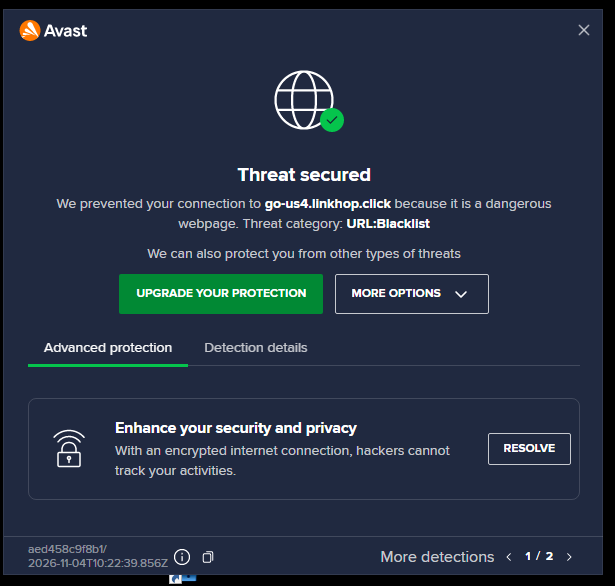
Thanks @dnimon , this is a “regular” malware detection (URL:Blacklist), which is different from the “Connection to this website is not secure” warning. That one typically points to an issue with the website’s certificate. In the case of “doubleverify[.]com”, the certificate was indeed revoked for a while, and Avast correctly flagged it.
As for your specific case: if this detection keeps popping up, check the “Detection details” in the popup. It should show the process where the detection occurred. If it’s one of your web browsers, you’re likely dealing with a browser hijacker of some sort.
If you’re using Google Chrome, start by turning off notifications from websites: How to Disable Chrome Notifications | PC, Mac, & Android
If the problem persists after you turn off notifications and restart Chrome, try resetting your browser to its default settings: Resetting your internet browser to default settings | Avast
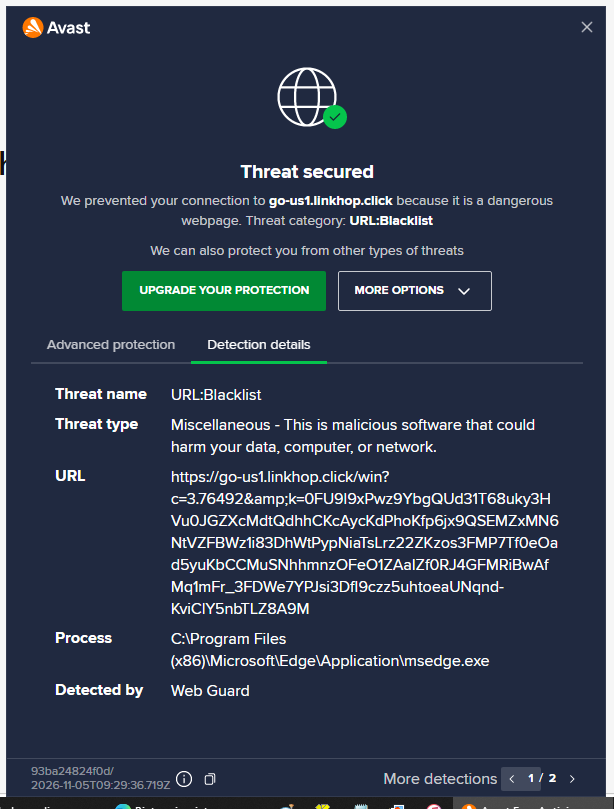
@dnimon yes, this will likely be a browser hijacker in Microsoft Edge. Could you please check if the problem persists when you disable notifications completely in Edge settings? To do that, please:
- Open Microsoft Edge, click the three dots in the upper right corner of the browser, then choose Settings.
- Use the left pane to scroll down to Cookies and site permissions.
- Within the Site permissions menu, select Notifications.
- Toggle the switch next to Ask before sending. This will block all browser notifications within Microsoft Edge.
- Restart the browser and check if the problem persists.
If the problem persist, also try resetting Edge to its default settings, restart the browser a check if the problem is resolved.