Thanks MartinZ.
All one needs to do now is right-click the avast icon in system tray and select About Avast. There you will see the current VPS definition version. Simple enough.
How about just putting it back into the hover so you don’t have to open and close the program.
Even a last updated time and date would be acceptable in the hover
Apparently so - what I wrote has been said to be correct.
But never forget that “said” is not always the same as “did”. Trust comes from a long period of met expectations, and can be lost easily. This is the day and age of Marketing people ruling what’s said, often overriding what engineers did. The plain and simple fact is that the product DOES have bugs.
Martin, if you’re in the code looking for UI settings being ignored, please take a look at the long-standing problem where the UI pops up even though the [ ] Automatically open the Scan Results when scan is finished setting is unchecked. It doesn’t bother me really, but it would be nice if it respected the setting.
-Noel
Apparently so - what I wrote has been said to be correct.I'm glad that's what you think. :)
Today i stand up start my computer and make me a coffee in kitchen.
Coming back to my computer and make this screenshot premier has enough time to update my definitions watch at timestamp from definitions and my taskbar 23 hours ago.
After my cup of coffee i run manual update the definitions and he load it down 30.10.2014 5:04:45 i see many times avast told me Connection not established and after i run updating definitions connection established.
I try today after my work to switch avast to free antivirus and testing same problem or this is updating.
I use avast think it must 5 years and never i has a problem with it this the first time.
And i forget on both computers i set up the operating system short time ago.
@bob3160 Under Settings → Updates i look for definition updates i watch this Situation now 9 days.
Most i work with my laptop last days i only run my desktop pc to watch i see a notification he has updated (Popup) or get a sound for updating definitions…
I think i wait 40 hours ithere is no visualal or sound in this time.
Screenshot 1: http://abload.de/img/screenbtdxh.jpg
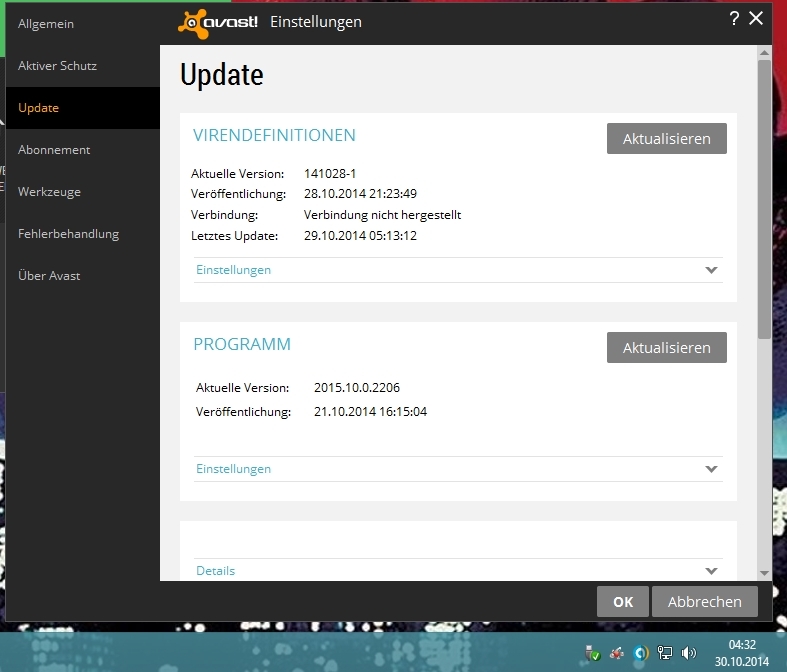
@Bob3160 this Screenshot i took after updating the definitions.
Screenshot 2: http://abload.de/img/screen2b3cn9.jpg
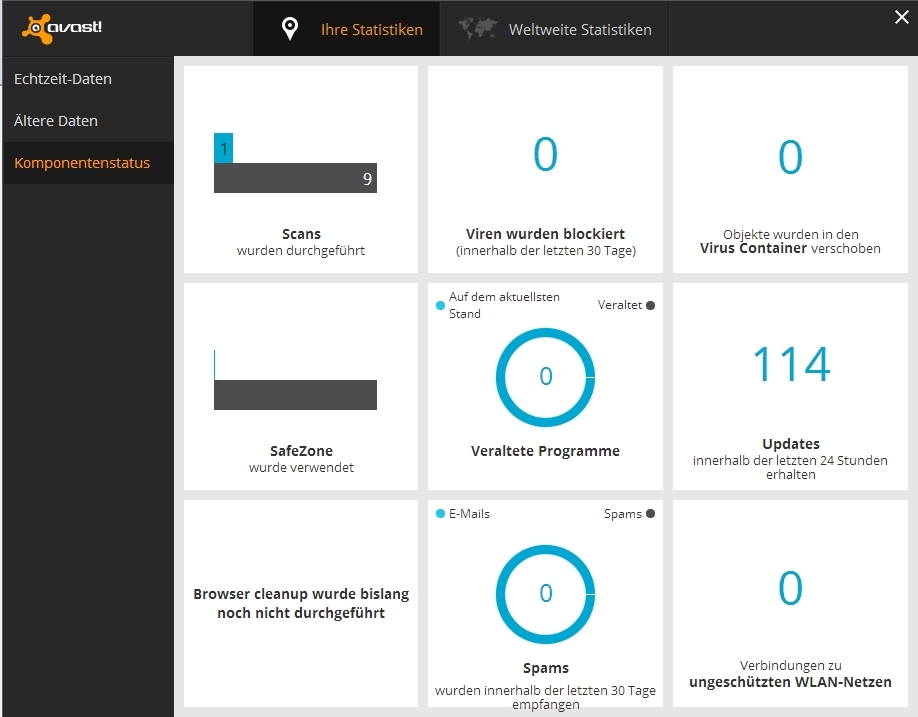
I do not see when the stream updates has loaded.
Hello,
About Update of the database …
I thought I understood that the 2015 version had removed all pop-ups? …
Last night, after several hours of downtime I switched my PC just to check … … and surprise … I got a pop-up Avast … ???
http://i39.servimg.com/u/f39/15/11/07/78/avast_10.jpg
and I made the shift … I went to the release 141029.2
So it seems that SHIFT is sent and automatically taken into account on the PC are turned on and connected to the net …
by cons if the PC is closed … … on the next restart is prevented (by a pop-up) that there is a Shift to …
Can you confirm please?
@ ++!
Hi,
I do understand not having update notifications if they are going to be 200+ times per day - that would be ridiculous however. I would like to see a popup if an update has not occurred for any reason in the last, say, 2 hours. That way we can all be confident that we are up-to-date. In addition to this it would be handy to have just one pop-up every reboot / resume from hibernation / resume from sleep to confirm that an update check has taken place and that we are up to date.
Many people want to see the update popup once they resume their machine before going on to the internet to do anything less than uber safe and this would help a lot.
Cheers,
Paul
Good to see 8)
Personally, I’d like to see an ‘opt-in’ option for update notification popups. Apart from anything else, I miss the ‘Pirate Talk’ announcements! 
Mine wasn’t a pirate it was some corny sounding cockney grandma (UK english) that sounded like a sort of female & perverse version of Dick Van Dyke’s style of “English” in Chitty Chitty Bang Bang. Made me cringe every time I heard it.
So i removed premier and try free antivirus and it works.
I reinstall premier and now it getting updates same with my other computer.
I do not know where the problem was , I 'm just glad that now both run properly again.
All but 2-3-4 of those 200+ per day are (or were – see my next paragraph) streaming updates, for which we never did get popups. So I agree we wouldn’t want those included. But I too would like to see the notifications back for “regular” def updates.
It just occurred to me … is it possible they’ve changed things so that now the only updates are the frequent streaming ones? That would certainly explain why no more notifications.
(Edit, another afterthought) If that is the case then why retain the current numbering system for defs, which would no longer make sense?
If you check the defs sub-folder you will see that the regular VPS updates are occurring as the sub-folder numbering is the same as the VPS version.
See image - may only problem is not having received a single streaming update since this program version went live. So it would have been nice to know that at least I’m getting the VPS updates.
Is your streaming update issue with XP?
I rather doubt it given it has been working all the way through beta and RC builds.
Well at least we all know why there no update notification pop ups in v 2015.
I was also concerned about it,kept checking to see if it was updated.
It takes getting used to but Im kind of liking the non bothering feel of it.You dont even know its running and protecting,but it really is. Apparently after just hovering over the orange icon in system tray and you see a green checkmark,everything is OK. Ive always used AVAST since it`s low on system resources used and just 2 Avast services running in task manager.
Keep up the great work Avast!
I just call to say… I WANT TO BE NOTIFIED OF VIRUS DATABASE UPDATES.
This will tell you why it no longer notifies you:
http://youtu.be/bBy65eCez7Q
+1
Yes, I also was much more comfortable with the notifications of updates received.