I have the same problem, but I don’t seem to find “Avast Internet Security=>Protection=>Firewall =>Application settings (Window Application Rules - Check the blocked rules from list) or Clear All list Rules and groups.” Any updated help on this?
First, I’m an Avast user and not an Avast Team member.
You have posted in a topic that is over 8 years old ("when I upgraded to Windows 10) and much has changed in that time period.
Certainly the Firewall Component and its Settings, etc.
I may be best to start your own new topic and describe what the problem is.
There is a different User Interface and changed/updated components. See attached image.
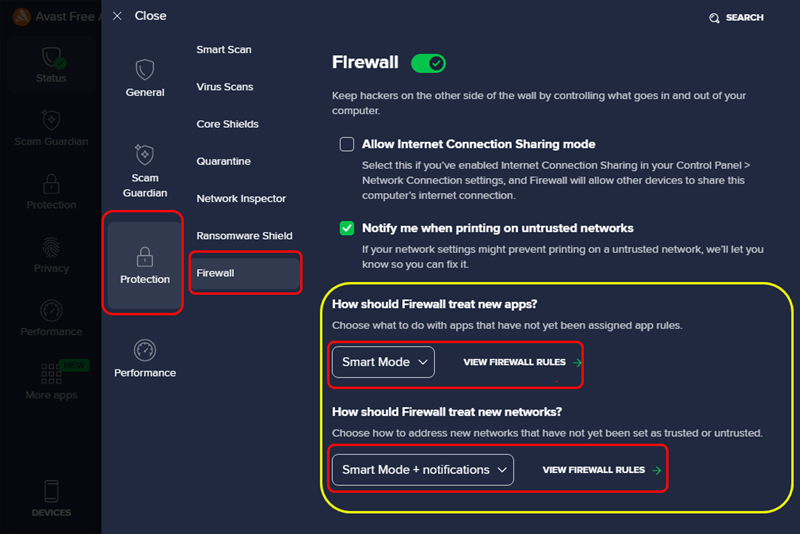
Note: Posts are moved to new topic from the old one.
1 Like
Thanks for this - I have sent you a DM as I wasn’t aware we could do this.
Thanks for that. I changed to to “ask”. Lets see if it helps.
1 Like
Thanks !