how to shutoff notifications for upgrades
1 Like
First, I’m an Avast user and not an Avast Team member.
You don’t say what Avast Program you are using ?
Managing pop-up notifications in Avast Antivirus Premium
-
https://support.avast.com/article/antivirus-popup-notifications/#pc
-
Scroll down to Stop offers for other products.
-
If you use Avast Premium Security, you can additionally stop seeing offers for other Avast products and Personalised Discounts. ** Avast UI > Menu > Settings > General > Notifications.
-
Also check the AvastUI > Menu > Settings > General - Notifications, I would suggest using the Pop-up Notifications treatment - Limited Mode.
He means notification in Avast GUI, which is very annoying and cannot be disabled. Only uninstallation can solve this.
It wasn’t clear in their post as to what the notifications were about or where.
My automatic thoughts were the various ads promoting other Avast products.
A screenshot would have clarified.
That said those settings could potentially stop/limit such notifications. That said it is very rare that I open the UI outside of posting screenshots in replies.
Are you talking about a highlight of the Bell icon in the UI or the Bottom bar which I ignore?
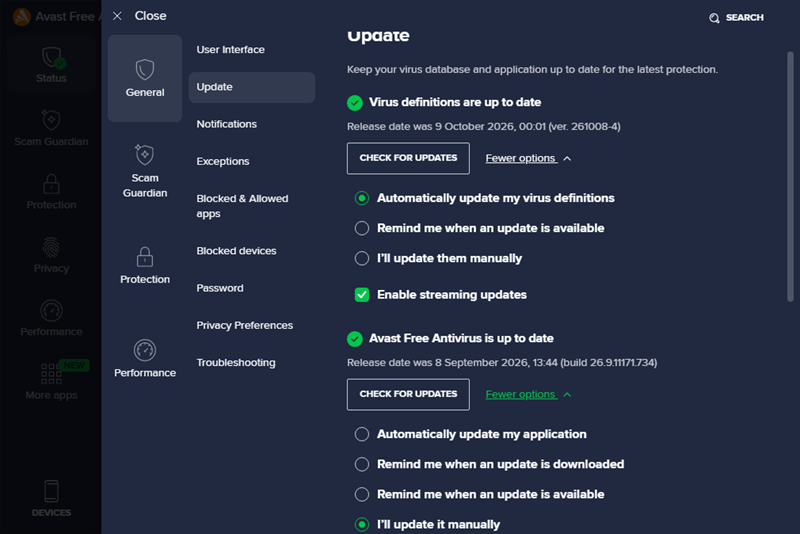
If program updates are set to “Manual” then you should not get any notifications of pending updates. I don’t.
Check in: Menu>Settings>Update>Avast…antivirus>More Options>manual
Yes, the bell. Every day I have here 4 notifications.